ImageCompat

Upload guidance

YouTube thumbnail safe zone guide

Check whether your YouTube thumbnail framing, file size, and small-screen readability are likely to work before upload.

Check a YouTube thumbnailImages never leave your device.
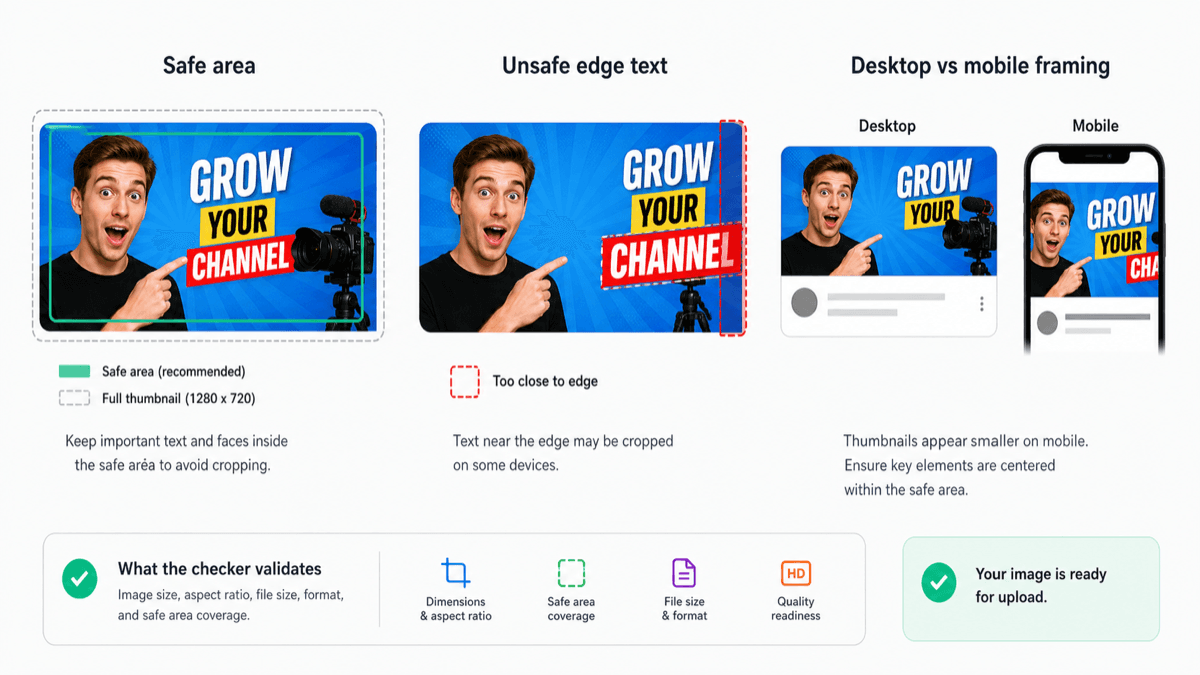
Important thumbnail content belongs inside the center safe area.
safe area
16:9

What the safe zone means

A YouTube thumbnail should stay readable after it shrinks into search results, suggested videos, and mobile feeds. The safe zone is the area where faces, products, and short text are easiest to notice.

Common thumbnail problems

The most common issues are the wrong aspect ratio, a file that is too large, blurry source images, and text that only works at full size.

Before you upload

Use the preview to check the 16:9 frame and make sure the main subject still reads clearly when viewed as a small card.