Start with compatibility
Use a 16:9 image, keep the main subject readable in a small card, and avoid relying on tiny edge details. For exact dimensions and format checks, use the YouTube thumbnail dimensions guide.
Upload guidance
A concise pre-upload checklist for thumbnail shape, readability, safe areas, clarity, and file size.
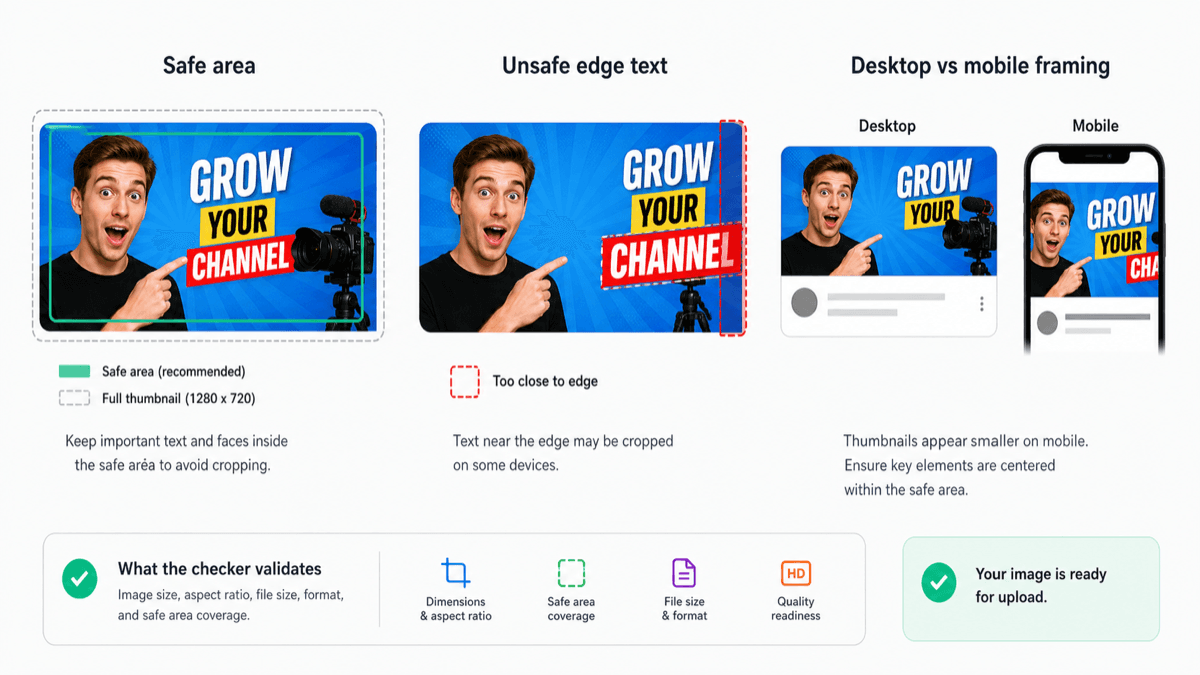
Use a 16:9 image, keep the main subject readable in a small card, and avoid relying on tiny edge details. For exact dimensions and format checks, use the YouTube thumbnail dimensions guide.
Faces, products, and short text should work at a glance. If the image feels busy, the thumbnail may look soft or unclear after YouTube scales it down.
Before publishing, check the frame, file type, upload size, and practical safe area. If the file is large, review the file size guide first.