ImageCompat

Upload guidance

Why YouTube thumbnails look blurry

A practical guide to thumbnail softness, source resolution, compression, and small-screen readability before upload.

Check your YouTube thumbnailImages never leave your device.

What this checks

  • Source resolution
  • Compression risk
  • Mobile readability
Thumbnail clarity depends on source resolution, compression, and whether the design still reads when small.
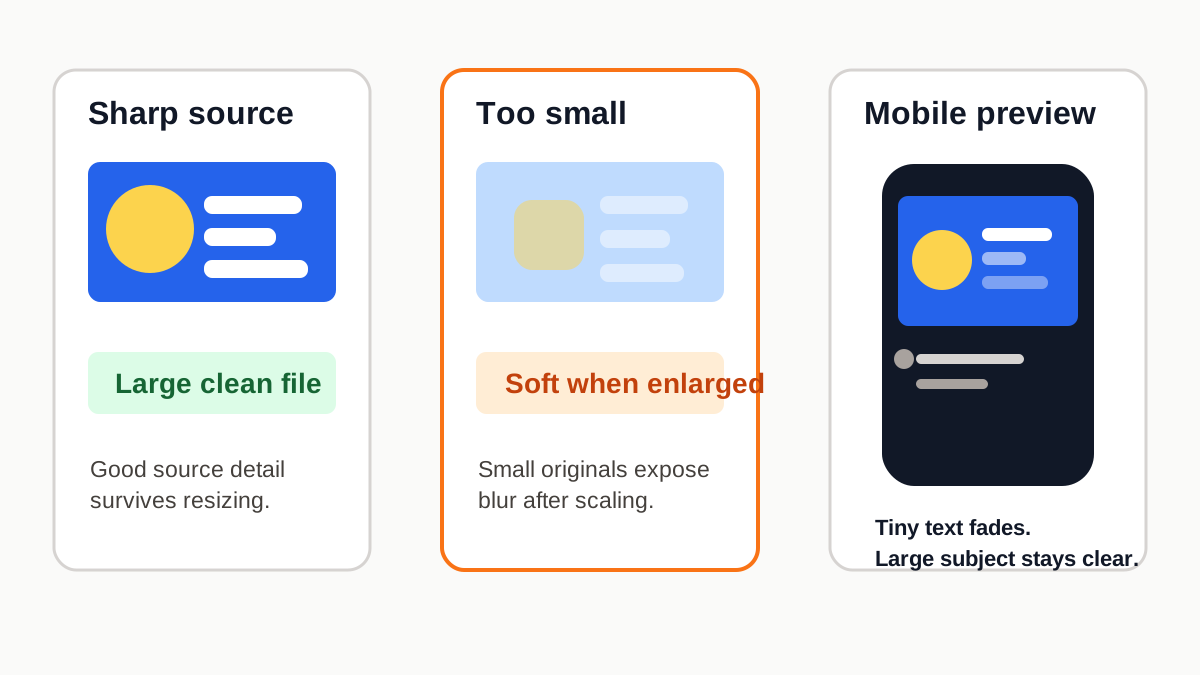
YouTube thumbnail blur example showing a sharp source, a small enlarged source, and a mobile preview with tiny text losing clarity.

Small source files get exposed

A thumbnail can look sharp while you design it, then soft after YouTube scales it into search, suggested videos, and mobile cards. Start with the largest clean source you have, then confirm the thumbnail dimensions before upload.

Compression can soften detail

Fine texture, tiny text, and low-contrast edges are the first things to lose clarity after platform compression. Larger text, stronger contrast, and a simple focal point usually survive better.

Check the small preview

If the face, product, or title only works at full size, it may feel blurry in YouTube feeds. Use the checker and compare it with the safe zone guide when important content sits near an edge.