Why thumbnails look blurry
Small source images, heavy compression, and enlarged text can lose clarity after YouTube scales the thumbnail across different screens. See why YouTube thumbnails look blurry.
YouTube thumbnail requirements
Check the image size, 16:9 shape, file limit, format, and small-screen readability before you upload a custom thumbnail.
YouTube recommends making the image as large as possible. The upload limit differs by device, so a file that works on desktop may still be too large when uploading from a phone. For upload limits, see the YouTube thumbnail file size guide.
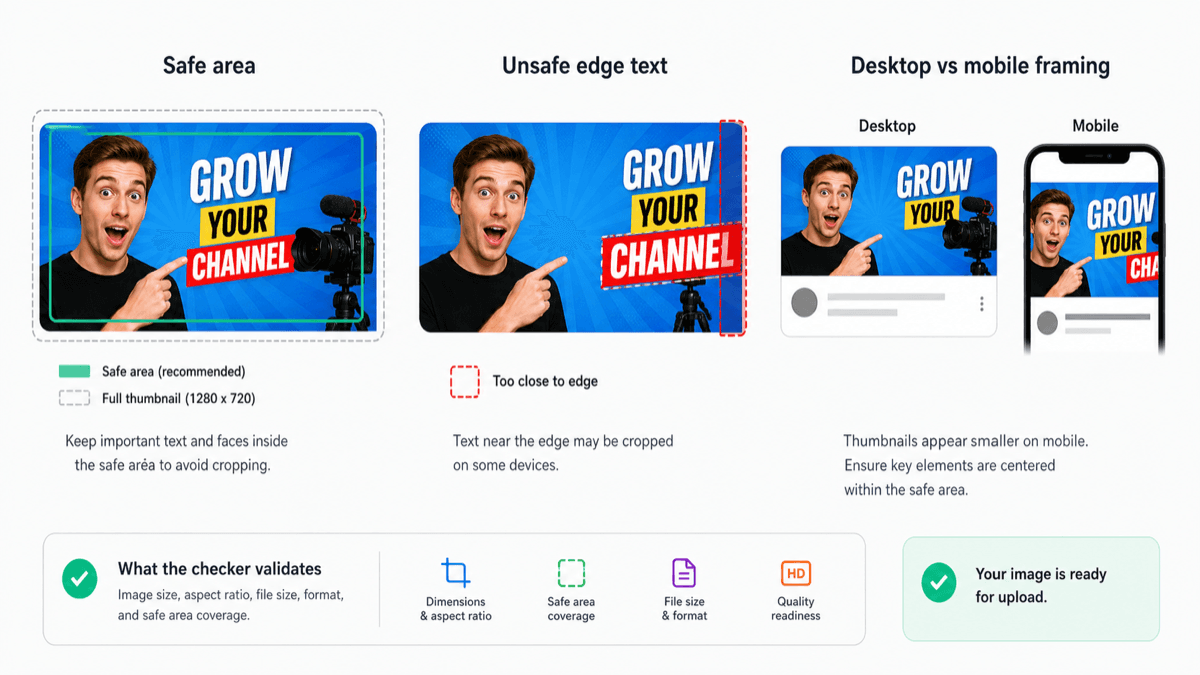
Small source images, heavy compression, and enlarged text can lose clarity after YouTube scales the thumbnail across different screens. See why YouTube thumbnails look blurry.
Faces, products, and short text should remain clear when the thumbnail appears as a small card in mobile feeds.
Need composition guidance? See the YouTube thumbnail safe zone guide. For a short pre-upload checklist, use the YouTube thumbnail best practices guide.