Feed and grid views differ
An Instagram post can appear in the feed, a rectangular profile grid, and other previews. Those views may emphasize different parts of the same image. For vertical posts, see the Instagram story crop preview guide.
Upload guidance
Check Instagram post framing, mobile feed visibility, and profile-grid presentation before posting.
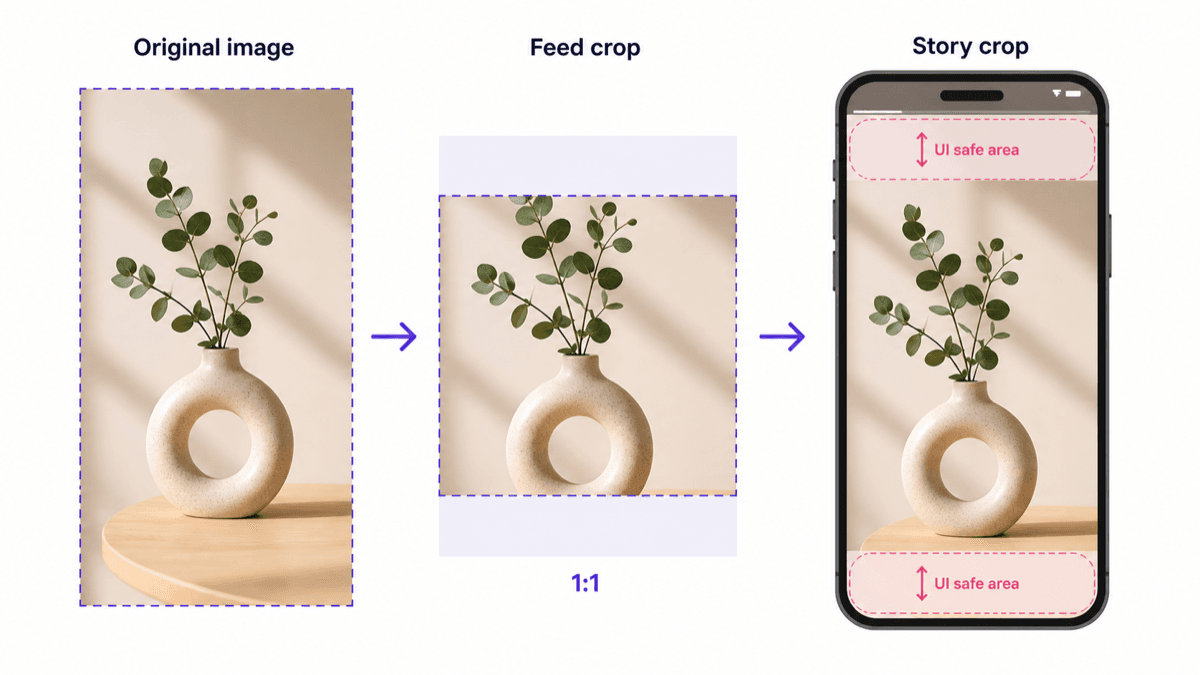
An Instagram post can appear in the feed, a rectangular profile grid, and other previews. Those views may emphasize different parts of the same image. For vertical posts, see the Instagram story crop preview guide.
Text, products, and faces are safest near the center. Edge-heavy layouts are more likely to feel unbalanced when the image appears in different previews.
Use a pre-upload check to confirm the image shape, minimum size, file type, and whether the main subject stays visible in a smaller preview.